Slides
Download here
Support File Required: lab4-resources.zip
Extract the archive in the course VM. It contains the test vectors, Tux.bmp
and a requirements.txt for the Python dependencies.
Symmetric Cryptography
Implement the exercises in Python, writing your own program as you progress.
Use cryptography for the AES block primitive and key derivation; implement the ECB/CBC
mode logic and padding yourself.
Cipher Modes
Your task is to implement two modes of operation for the AES128 block cipher: the Electronic Codebook (ECB) mode and the Cipher Block Chaining (CBC) mode.
-
AES128 Implementation: You should use an implementation of the
AES128block cipher. Remember that AES128 operates on 16-byte blocks and uses a key of 16 bytes. -
ECB Mode: In ECB mode, each block of plaintext is encrypted separately. This means that if two identical blocks of plaintext are encrypted with the same key, they will produce identical blocks of ciphertext.
-
CBC Mode: In CBC mode, each block of plaintext is XORed with the previous ciphertext block before being encrypted. This means that each ciphertext block depends on all plaintext blocks processed up to that point. To make each message unique, a random and unpredictable initialization vector (
IV) must be used in the first block. -
Validation: After implementing
ECBandCBC, validate your implementation against the test vectors provided in fileaes128-test-vectors.txt. Your implementation should produce the same output as the test vectors for the same input. Start by encrypting thePLAINTEXTand compare the result with theCIPHERTEXT, then decrypt the result and compare it withPLAINTEXT. Note that the values in the file are in hexadecimal.
Padding
A block cipher requires input blocks of a fixed size that equals the algorithm block size. However, it is unlikely that a file to encrypt has a number of bytes that is a multiple of the block size of the algorithm, i.e., frequently, the number of bytes that remain for the last block does not equal the block size. To solve this problem, extra bytes are added to obtain a block with the correct size. These extra bytes are then removed after the decryption operation.
There are several standards for padding. PKCS#7 is one of them. The objective of this exercise is that you demonstrate the existence of padding in an encryption operation, and that it follows the PKCS#7 standard.
Your task is to implement two functions: one for adding padding to a given plaintext according to the PKCS#7 standard, and another for removing the padding from the result of a decryption.
-
Add Padding: Write a function that adds padding to an arbitrary
plaintextin order to make it a valid input for the encrypt operation. -
Remove Padding: Write a function that removes the padding of the result of a decrypt operation. The function should verify that the padding is correct.
-
Validation: Validate your implementation against the tests provided in file
aes128-test-padding.txt.
Note: Take special care when the size of the input data is a multiple of the block size. In such cases, PKCS#7 padding requires that a full block of padding be added. This is to ensure that the padding can always be unambiguously removed.
Symmetric key generation
Before a cipher is used, proper arguments must be generated. These arguments are the key, the cipher mode, and potentially the IV. The cipher mode is chosen at design time, and the IV should always be a large random number (size similar to the block size) that is never repeated with the same key. In the previous examples we have been using known keys and IVs in order to validate the implementations. This lab will discuss the creation of random keys and IVs.
The key can be obtained from good sources of random numbers,
or generated from other primitive material such as a password.
When using a password, it is imperative to transform the
user text into a key of the correct complexity.
While there are many methods, we will consider the Password Based Key Derivation Function 2
(PBKDF2),
which takes a password, a random value named salt, a digest algorithm,
and a number of iterations.
The algorithm repeatedly applies HMAC (using the password as the key), starting from the salt,
for the specified number of iterations. The number of iterations makes each password guess expensive for an attacker.
Choose an iteration count that makes derivation costly enough for the exercise, and measure its impact.
For AES128, derive a key of 128 bits and generate a separate random IV of 128 bits for CBC.
Your task is to enable the user to provide a password that will be used to derive the encryption key.
- Construct a function that derives a 128-bit key according to
PBKDF2-HMAC-SHA256, using thePBKDF2HMACclass fromcryptography. - Generate a separate random 128-bit IV for CBC, using
os.urandom(16), and integrate the key and IV with the previous cipher modes. - Use a new random salt for every file you encrypt. What would happen if the salt were fixed?
Use the getpass module to read the password without echoing it.
Note: Try different numbers of iterations (e.g., 1 000, 100 000 and 1 000 000) and measure their impact. Small counts are for timing comparisons, not normal file encryption.
Now, generate a key of the same size using a different algorithm:
Argon2id
from cryptography.
- Derive 16 bytes from a password and a random 16-byte salt.
- Start with
memory_cost=65536KiB (64 MiB),iterations=3passes andlanes=4. - Measure derivation time, then vary memory and passes separately, keeping the password, salt and output length fixed.
- Check repeatability, then try a new salt. Compare keys without printing or saving them.
Questions: How does this cost model differ from PBKDF2? Are equal iteration counts comparable? Which public parameters are needed to derive the key again?
For the following file exercises, you may use either PBKDF2 or Argon2id.
File encryption
Create a function to encrypt the contents of a file, whose name should be provided by the user. Derive the key using either PBKDF2 or Argon2id, as in the previous tasks. The user must provide (as program parameters or by request or any other suitable method): (i) the name of the file to encrypt, (ii) the name of the file to store the cryptogram, (iii) the mode of the encryption algorithm, according to the previous tasks.
If you need to save multiple fields to the same file (e.g., KDF identifier, salt, KDF parameters, IV, cryptogram), save these as fixed-length fields at the beginning of the file.
An alternative is to use Base64 to convert the objects to text (base64), and then use a delimiter such as \n. Save the KDF identifier and its parameters, salt and IV for decryption, but not the password or derived key.
Take into consideration that data may need to be encrypted in blocks, and the last block may require padding, according to the previous tasks.
Questions:
- Can you determine the structure of the text from the cryptogram?
- Compare the lengths of the text and the cryptogram. How do you explain the difference?
File decryption
Alter your program by adding a function that decrypts a user file. For this functionality, the user must provide the following (as program parameters or by request or any other suitable method): (i) the name of the file to decrypt, (ii) the name of the file to store the decryption result. The password must be requested.
Read the saved KDF identifier, parameters, salt and IV to derive the same key and reproduce the encryption parameters. Take care of removing the padding (if present!).
Questions:
- Is padding visible in the decrypted text?
- What happens if the cryptogram is truncated?
- What happens if the cryptogram lacks some bytes in the beginning?
- What happens if a single byte in the middle of the cryptogram is changed? Compare
ECBandCBC.
Remember that ECB and CBC do not authenticate the file: valid padding does not prove that its contents have not been altered.
Patterns
In this exercise we will analyze the impact of ECB and CBC cipher modes in the reproduction of
patterns in the original document into the encrypted document.
For this, we are going to encrypt an image in the bitmap (BMP) file format,
after which we are going to visualize the contents of the obtained encrypted
file and compare it with the original image.
To visualize the encrypted image, preserve the BMP header and encrypt only
its pixel data. Read the pixel-data offset from bytes 10–13 of the original
file (a little-endian integer), using a hex editor or your own Python code.
Consult the BMP file-header specification
for the bfOffBits field and determine the offset for Tux.bmp. Do not
assume that every BMP has a 54-byte header.
Use the program you developed in the previous sections to encrypt the pixel
data of Tux.bmp using the ECB cipher mode. Write a display copy with the
original prefix, pixel-data offset and file length. Keep the full ciphertext
separately if padding adds bytes; the display copy is for visualization.
If you need to restore the prefix in that display copy, set the shell
variable PIXEL_OFFSET to the offset you found, then use:
dd if=Tux.bmp of=Tux_enc.bmp ibs=1 count="$PIXEL_OFFSET" conv=notrunc
Using a program to visualize images, open the original image and the encrypted image and compare them. What do you observe?
Repeat all the above operations, now using the CBC cipher mode instead of
ECB cipher mode.
Then, compare the original image with the obtained encrypted image.

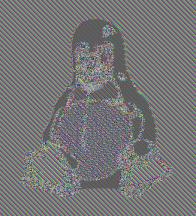

An image and the typical result of ECB and CBC cipher modes.
(Images by Larry Ewing)
(OPTIONAL) Human Readable Symmetric Encryption
The security of modern ciphers lies in their indistinguishability from random data by a computationally limited adversary. In the previous exercises we used symmetric cryptography to produce indistinguishable results. In this exercise, we want to use ciphers to produce a human “readable” text.
Write a program using AES encryption, for example with CTR mode, and replace encrypted bytes with words from a dictionary, ensuring that your code encrypts and decrypts the input text while maintaining the human “readable” format of the ciphertext.
NOTE: dictionary entries must be unique so you can reverse the mapping. You can construct the dictionary yourself; no word-generation package is required.
Experiment with different dictionaries and input strings to observe the effects on the ciphertext.
References and optional starters
Python helper to get started (only if strictly necessary): use
symmetric_cryptography_python.zipfrom the resources’helpers/directory. It provides a scaffold and public checks; complete and explain the missing logic yourself.
C or Rust alternative: this lab can also be implemented in C or Rust. Find starter files in
symmetric_cryptography_c.zip, in thehelpers/directory of the additional resources zip. Use them as a starting point and fill in the code required for each exercise.
\newpage
Annex: Python environment setup
Use an isolated Python environment in the course VM. Extract the exercise resources and create and activate a virtual environment:
unzip lab4-resources.zip -d lab4
cd lab4
python3 -m venv .venv
source .venv/bin/activate
The main exercises require the Cryptography
module. The supplied requirements.txt contains:
cryptography==46.0.5
Install the dependencies with pip:
python -m pip install -r requirements.txt
Click is optional:
you may use it to define command-line parameters such as the input file,
output file and cipher mode. If you choose to use Click, add click==8.5.0
to requirements.txt and run the pip command again. The optional Python
helper uses Click and therefore requires this additional dependency.
Authors: João Paulo Barraca, Vitor Cunha, Paulo C. Bartolomeu, Alfredo Matos, Catarina Silva