Detailed instructionsto configure the USRP1 using the desktop PCs of room 345
1- Download the rar file (simulink-usrp_2.1.1.rar) and extract the files to a folder where you have writing permissions.
2- If you are using the Desktops of the UA chose this folder \\arca.ua.pt\utilizadores\xxxxx@ua.pt\My Documents\MATLAB
where xxxxx it is your user name at UA.
3- Follow the instructions of the document http://www.cel.kit.edu/installation.php
4- In the previous document you have to add the two folders to the Matlab path. If you are not the administrator of the Windows, you cannot save the changes in the Matlab path. Please do it each time you open the Matlab to use the USRP1.
5- Open the Simulink example USRP1Test.mdl
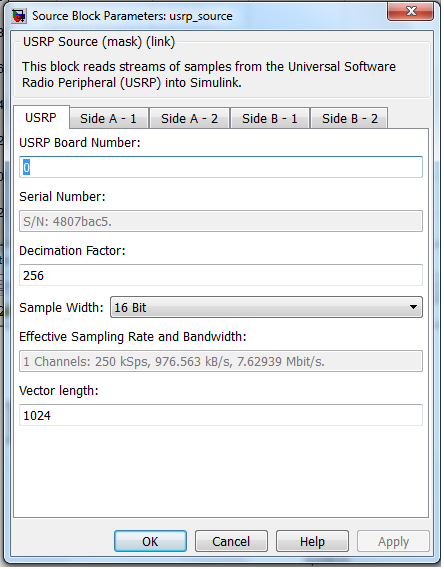
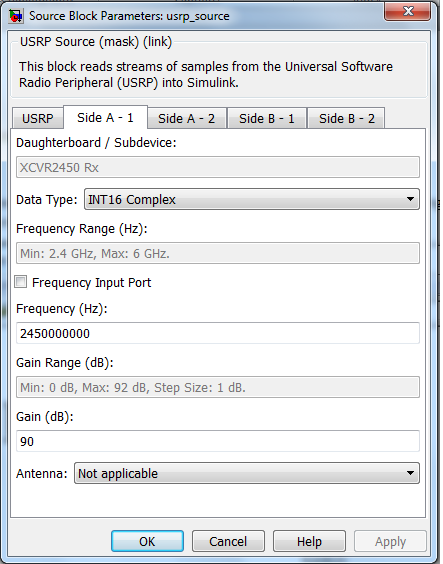
6- Configure the USRP1 Simulink block according to the figures below.
7- Acquire some signal with Vector Signal Generator transmitting a signal at 2.45GHz.
 |
 |